
Latest Version
IdeaNest INC
Mac
Free
6504402138
Report a Problem
More About Apps for Google App
Optimize Your Mac Workspace with Apps for Google App
Managing multiple web services can quickly clutter your desktop and disrupt your creative flow. Apps for Google App for Mac offers a dedicated solution designed to integrate your essential Google services directly into the macOS environment. By transforming how you interact with these web-based tools, this utility aims to bridge the gap between browser tabs and native desktop efficiency.
Tailor Your Desktop with Custom Widgets
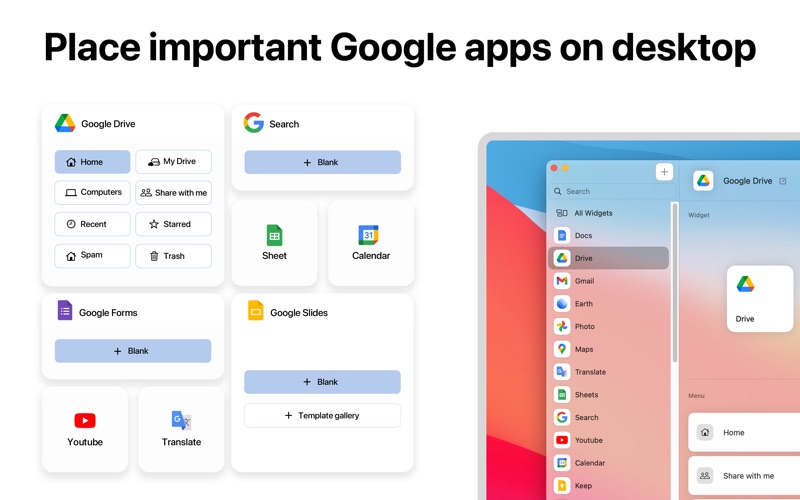
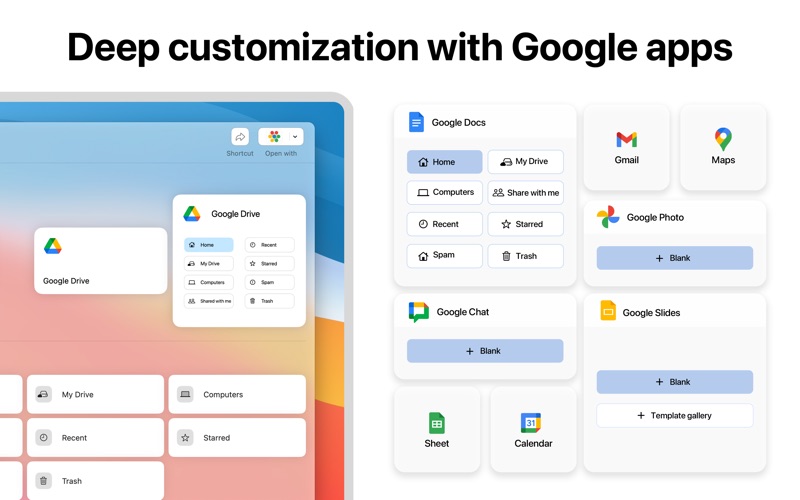
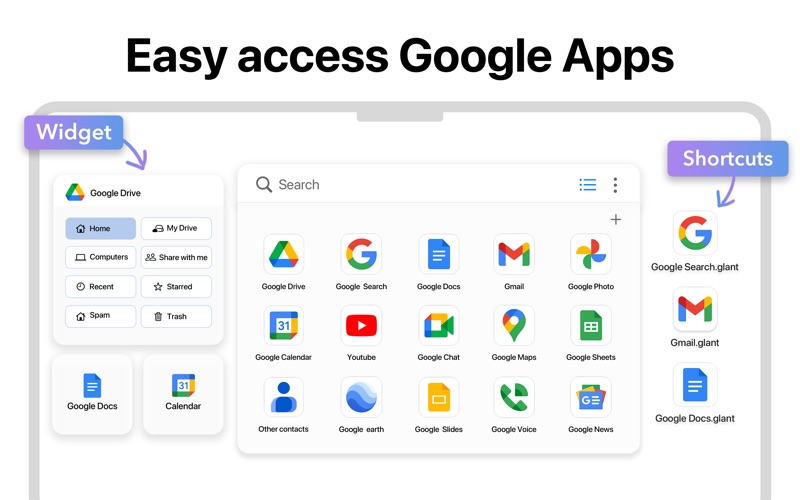
One of the standout features of this application is its robust widget customization. Instead of keeping multiple browser tabs open, you can place dedicated widgets directly on your Mac desktop. These widgets do more than just sit there; they provide immediate access to secondary sub-menus and frequently used tools. You can adjust their size and layout to match your existing desktop aesthetics, keeping your most critical tasks only a glance away.
Streamline Navigation via the Menu Bar and Hotkeys
For users who prefer a clean desktop, the integration options extend to the macOS Menu Bar and custom keyboard shortcuts:
- Flexible Menu Bar Settings: Choose exactly which Google services appear in your Menu Bar, allowing you to toggle their visibility based on your current project or workflow.
- Custom Hotkeys: Assign unique key combinations to launch or switch to specific tools instantly, eliminating the need to click through multiple windows.
- Desktop Shortcuts: Generate one-click desktop launchers to bypass repetitive navigation entirely.
Personalized Launching Options
Beyond simple accessibility, this utility lets you dictate how your services behave. You can configure custom default opening methods, choosing which browser or window style launches when you trigger a specific service. This level of control ensures that your workspace behaves exactly how you expect it to, boosting your daily productivity.
Is It Right for You?
If you find yourself constantly lost in a sea of browser tabs and want a more structured, native-feeling way to manage your workflow on macOS, this utility provides the granular control you need. You can explore the full capabilities of Apps for Google App for Mac by visiting its official page on the Mac App Store.
Rate the App
User Reviews
Other Apps in This Category



Popular Apps










Editor's Choice